

Tips to travel this summer and use Wi-Fi with peace of mind
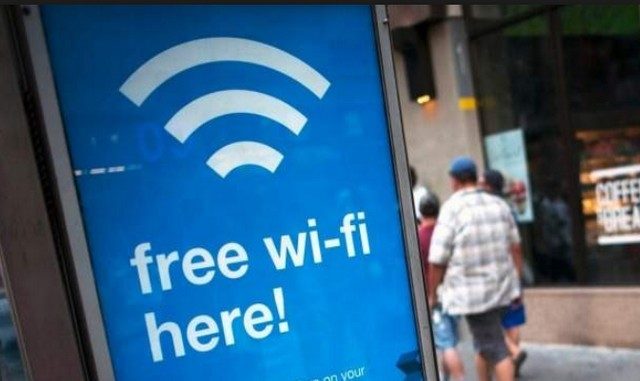
Summer holidays are the best – school is over, work is slowing down a bit, your destination is chosen, and the bags are made, and you’re ready to hit the road with your best travel companion – your smartphone! Whether it’s entertaining your child with video games and applications, taking pictures and sharing them with friends and family on various social networks like Instagram, Facebook and Twitter – you connect to free public Wi-Fi whenever you get the chance. It is important for everyone to remember that free public Wi-Fi in hotels, shops, cafes and other commercial establishments is also open to malicious people.
Keep in mind that « free » is not always as free as you think and that public Wi-Fi has its own risks. The good news is that preventing hackers from stealing your data can be done with a little awareness and some proactive measures. The key lesson here is that it is easy to hack into a Wi-Fi network and that it is even easier to get users to connect to a fake Wi-Fi.
 Here are 3 easy steps you can take today to protect yourself and your family when you’re away from home or work:
– Do not connect to public Wi-Fi SSIDs if several variants are available. This is not normal for a legitimate company. For example, ask the reception of a hotel to confirm the name of its Wi-Fi network and if it has an encrypted Wi-Fi network, ask for the password. You can do the same at any café, restaurant or store you visit. They don’t always offer an encrypted Wi-Fi network, like when you negotiate with these souvenir shops, you’ll never know what you can get unless you ask for it!
– If you want to check your work emails, or if you need access to something like your bank account, consider turning off Wi-Fi and using your 4G connection. Once you’ve finished the confidential task, feel free to return to Wi-Fi.
– Delete the saved Wi-Fi network names from each of your devices and remember to turn off the « auto-connect » feature in your device settings. This will ensure that your phone does not connect you to a Wi-Fi you have already visited without your knowledge. Yes, it can be embarrassing, but believe me, you don’t want your phone to automatically connect to someone who broadcasts a backed up Wi-Fi network to listen to and steal your mail, login credentials, etc.

On the same subject

Strait of Hormuz : How high can it go?
The escalation of the conflict in the Middle East in early March 2026, marked...

Sabre is rethinking its entire model
At the ITB Berlin 2026 international trade fair, technology giant Sabre made history in...

Can Indian AI really compete with the Chinese DeepSeek system ?
India has reached a historic milestone in its quest for technological leadership, finally seeking...



